
Classroom in Dharampeth · Live online
Cloud Computing Course in Nagpur Learn the cloud. Choose AWS or Azure. Build your career.
Start with the foundation every cloud runs on, Linux, networking and cloud concepts, then specialise in AWS or Microsoft Azure through hands-on labs and real projects. Interview preparation and placement assistance come at the end, and you can sit your certification exam in our own Pearson VUE centre.
- Linux + networking foundation
- AWS or Azure specialisation
- Hands-on labs & projects
- Classroom or online

Taught by Nikhil SakharwadeAWS and Azure associate-certified trainer
- 1Cloud foundationCloud concepts, virtualisation, service models, security, scalability
- 2Linux and networkingLinux, TCP/IP, DNS, IP addressing, subnetting, routing
- 3Choose your cloud
- 4Hands-on labs and projectsDeploy, configure, secure, monitor, troubleshoot
- 5Career preparationAssessments, resume, mock interviews, placement assistance
One programme, two specialisations. Most students take one cloud and go deep.
Course at a glance
Everything you need to know before you call
A structured, practical path from IT fundamentals to a cloud specialisation, taught in Nagpur or live online.
- Format
- Foundation, then one specialisationAWS or Microsoft Azure, your choice
- Mode
- Classroom or live onlineDharampeth, Nagpur; one-on-one on request
- Who can join
- No cloud experience neededStudents, graduates and working IT professionals
- What you learn
- Linux · networking · cloudPlus security, monitoring and troubleshooting
- What you build
- Five cloud projectsServers, networks, apps, data and monitoring
- After the course
- Certification and placement helpExams at our Pearson VUE centre; resume and mock interviews
Why cloud computing
Learn the foundation, not just a list of services
Businesses run their applications, databases and websites on cloud infrastructure, and need people who can:
- Deploy cloud infrastructure
- Configure virtual machines
- Manage cloud storage
- Configure networks
- Manage users and access
- Implement security
- Monitor cloud resources
- Troubleshoot infrastructure
- Support cloud-based applications
That is why our learning path is
- IT fundamentals
- Linux
- Networking
- Cloud fundamentals
- AWS or Azure
- Hands-on labs
- Projects
- Career preparation
One programme, two specialisations
Choose the cloud platform that fits your career goal
After the common cloud, Linux and networking foundation, you choose your specialisation.
AWS cloud
Build practical skills in Amazon Web Services: how cloud infrastructure is deployed, secured and managed on the largest platform.
- Global infrastructure
- IAM
- EC2
- S3
- EBS
- VPC & subnets
- Security groups
- Load balancing
- Auto Scaling
- Route 53
- RDS
- CloudWatch
- AWS CLI
Microsoft Azure
Build practical skills in Microsoft Azure: how enterprise cloud infrastructure, identity and resources are managed.
- Azure Portal
- Resource groups
- Virtual machines
- Storage
- Virtual network
- NSGs
- Load Balancer
- App Service
- Azure SQL
- Entra ID
- RBAC
- Azure Monitor
- Backup & recovery
AWS or Azure: which should you choose?
Choose AWS if
You want to build your career around the AWS ecosystem: product companies, start-ups and born-in-the-cloud teams, where AWS is the most common platform.
Choose Azure if
You are drawn to Microsoft's ecosystem and enterprise environments: organisations already running Windows Server, Microsoft 365 and Active Directory.
Still not sure?
Talk to our counsellor. We help you choose from your educational background, your existing IT knowledge, your current job and your career goal.
Course roadmap
Six levels, from IT fundamentals to your first cloud role
The common foundation comes first, so that by the time you reach AWS or Azure you understand what you are doing and why.
01Cloud and IT fundamentalsLevel 1
- What cloud computing is, and how it evolved
- Service models: IaaS, PaaS and SaaS
- Public, private and hybrid cloud
- Virtualisation, and how it differs from containers
- Scalability, elasticity and high availability
- Fault tolerance and disaster recovery
- The shared responsibility model
- Cloud security fundamentals
- Basic cloud architecture
- How cloud billing works, and the costs people forget
02Linux foundationLevel 2
- Linux architecture, installation and configuration
- The file system, files and directories
- Users, groups and permissions
- Processes and services
- Package management
- Networking commands
- Disk and log management
- Shell commands and basic shell scripting
- Linux troubleshooting
03Networking foundationLevel 3
- Networking fundamentals: the OSI and TCP/IP models
- IP addressing (IPv4) and subnetting
- DNS and DHCP
- TCP and UDP, ports and protocols
- Routing and NAT
- Firewalls and network security
- Network troubleshooting
04Cloud platform specialisation: AWS or AzureLevel 4 · you choose
At this stage you select the platform that fits your career goal.
AWS track
- Compute: EC2
- Storage: S3 and EBS
- Networking: VPC, subnets, security groups and routing
- Identity and security: IAM and access management
- Databases: RDS
- Availability: load balancing and Auto Scaling
- DNS: Route 53
- Monitoring: CloudWatch
- Management: the AWS CLI
Azure track
- Compute: Azure Virtual Machines
- Storage: Azure Storage
- Networking: Virtual Network, subnets and NSGs
- Identity: Microsoft Entra ID
- Access: RBAC
- Databases: Azure SQL
- Hosting: Azure App Service
- Availability: Azure Load Balancer
- Monitoring: Azure Monitor
The full specialisation syllabuses: AWS, nine modules and Azure, ten modules.
05Hands-on cloud labsLevel 5
- Creating and managing cloud resources
- Launching virtual machines and configuring Linux servers
- Creating storage
- Configuring virtual networks and subnets
- Managing users and permissions
- Implementing security controls
- Deploying applications
- Configuring monitoring
- Troubleshooting infrastructure
06Real-world projects and career preparationLevel 6
- Five cloud projects, from a single server to a monitored application
- Practical assignments and troubleshooting exercises
- Technical assessments
- Resume building
- Technical interview preparation and mock interviews
- Career guidance and placement assistance
Previous Linux or networking experience is not needed; both are taught from the beginning.
Projects
Real-world cloud projects
Projects connect classroom learning with practical cloud scenarios.
Project 1 · Cloud server deployment
Deploy and configure a Linux-based cloud server.
Project 2 · Secure cloud network
Create a cloud network with the right subnets, access controls and security configuration.
Project 3 · Web application deployment
Deploy a web application on a cloud environment.
Project 4 · Cloud storage and database
Configure cloud storage and database resources.
Project 5 · Monitoring and troubleshooting
Monitor cloud resources and find infrastructure problems.
By the end, you work with
Virtual machines, storage, databases; VPC or VNet, subnets, DNS and routing; IAM or Entra ID and RBAC; monitoring, backup and troubleshooting.
Training model
Learn, practise, assess, build, prepare
We do not teach cloud as a list of services. Every topic goes through the same five steps.
- LearnUnderstand the concept
- PractisePerform the task in a practical environment
- AssessTest your technical understanding
- BuildApply it through projects
- PrepareGet ready for interviews and opportunities
Certification exams
Sit your exam where you trained
Unisoft is a Pearson VUE Select authorised test centre, and AWS and Microsoft certification exams are delivered through Pearson VUE. Pearson VUE's own test-centre finder lists Unisoft in Nagpur for AWS and Microsoft exams, so you can sit yours in the room down the corridor from your classroom instead of travelling to another city.
- Select centre since
- 2011
- Exam seats
- 4
- Also delivers
- CompTIA, Cisco, GMAT
We prepare you for the exam; the exam itself belongs to AWS and Microsoft. More about our test centre
How to book your exam here
- Book the exam in your AWS Certification account or on Microsoft Learn.
- Schedule it with Pearson VUE, and pick a test centre rather than an online exam.
- Search for Nagpur and choose Unisoft Technologies in Dharampeth.
- Pay the exam fee to AWS or Microsoft when you book. It is not part of the course fee.
A recent result

Paras Udapurkar
AWS Certified Solutions Architect – Associate (SAA-C03)
Paras trained at Unisoft and sat his AWS exam at our Pearson VUE test centre in Dharampeth, in the same building he trained in. He passed on 2 September 2026.
- Exam date
- 2 Sep 2026
- Where
- Unisoft, Dharampeth
- Valid until
- 2 Sep 2029
pass mark 720Verify on Credly
His certificate and score report were checked before this was published. The credential is AWS's own, and anyone can verify it on Credly.
Your trainer
Learn from Nikhil Sakharwade
Nikhil Sakharwade
Cloud & DevOps faculty, Unisoft Technologies
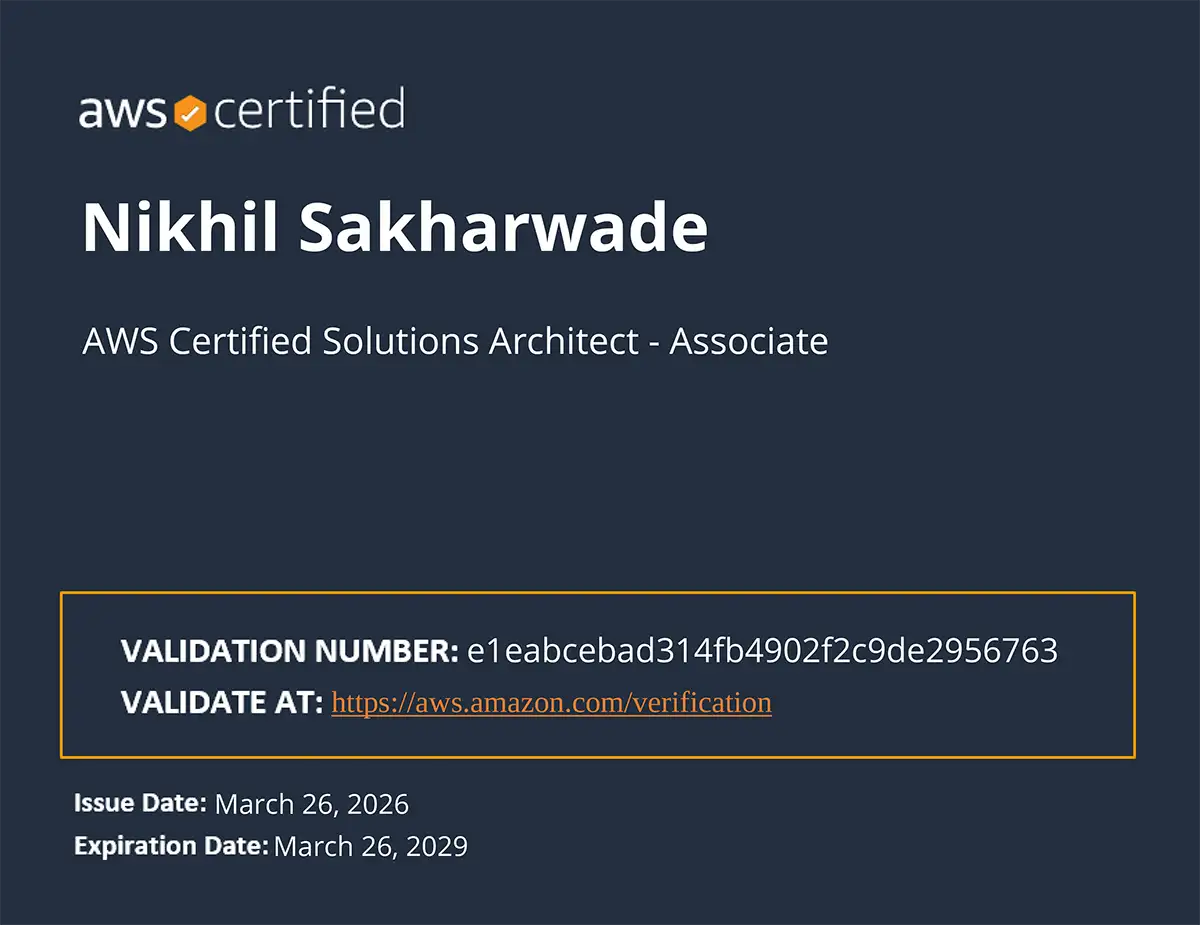
Nikhil is the core faculty for cloud at Unisoft: AWS, Microsoft Azure, Linux and the DevOps tooling around them, such as Docker, Kubernetes and Terraform. He teaches both specialisations, and holds the AWS and Azure associate credentials they lead to.
- AWS Solutions Architect – Associate
- Azure Administrator Associate
- Azure Fundamentals
- Red Hat RHCSA
- Cisco CCNA
- MCSA
- CompTIA A+

Unisoft Technologies is a great place to learn hardware networking, CCNA, and Linux. Nikhil Sir and Gaurav Sir explain everything clearly and make sure you understand the concepts well.
★★★★★ Pankaj Mahajan · hardware networking, CCNA and Linux · Google review
A trainer who holds the certification they prepare you for should be the minimum; it is worth checking wherever you study. Unisoft is rated 4.6 on Google from more than 1,600 reviews; read them on Google.
Careers
Career opportunities in cloud
After building the skills and the practical experience, these are the roles candidates can explore.
- Cloud support engineer
- Cloud engineer
- Cloud operations engineer
- AWS cloud support and associate roles
- Azure administrator and support roles
- System administrator
- Cloud infrastructure engineer
- Junior DevOps roles
Placement assistance covers resume building, technical interview preparation, mock interviews, career guidance and relevant job opportunities based on your profile and performance. It does not mean a guaranteed job: selection depends on your skills, your interview performance and the employer's requirements.
Google reviews
What students say
From Unisoft's Google listing, in the students' own words. Each card opens the review on Google.
Unisoft’s faculty for CCNA, Linux, and Cloud Computing (AWS & Azure) are world-class. They focus on networking fundamentals first and then take you deep into practical cloud deployment. The labs are very well equipped. It’s not just certification-based learning it’s skill-based growth.
★★★★★ Surabhi Tiwari · Read it on Google I have done mechanical engineering … so went to unisoft on advice of my friend there i was counselled and was suggested cloud computing completed it successfully and now i have basic job guided and helped in the planning by unisoft
★★★★★ Ravi singh rathore · Read it on Google The combination of Cloud Computing and Linux at Unisoft is perfectly designed. The instructors focus on both AWS and Azure, along with practical server management. Their guidance helped me clear my certification exam in one go! Definitely one of the best training institutes in Nagpur and India for cloud learning.
★★★★★ Shilpa Wahane-Shende · Read it on Google
Who it is for
Who should join
Students and freshers
BCA, BSc, BE, BTech, MCA, computer science students and IT graduates looking to enter cloud computing.
IT professionals
System administrators, network engineers, IT support, Linux, software and infrastructure professionals moving into the cloud.
Career switchers
Professionals who want to move into cloud, infrastructure, cloud support, cloud operations or DevOps.
Do I need programming experience? Not necessarily. Cloud computing is mainly about infrastructure, systems, networking, deployment, security and operations, and basic scripting is introduced during the programme.
Next step
Book a free counselling session
Not sure whether to choose AWS or Azure? Leave your number and a counsellor will call you, and help you choose from your background, current skills and career goal.
- Which specialisation suits you, AWS or Azure
- The current fee for classroom, live online or one-on-one
- Upcoming weekday, weekend and fast-track batches
Visit us in Dharampeth
Unisoft Technologies, 2nd Floor, Prananand Building, West High Court Road, above Anand Bhandar, opposite Dress Code, Dharampeth, Nagpur 4400104.6 on Google from 1,600+ reviews · Directions and reviews
FAQ
Cloud computing questions, answered
Is cloud computing suitable for beginners?
Yes. The programme builds the foundation in cloud concepts, Linux and networking before moving into AWS or Azure, so no prior cloud experience is assumed.
Is cloud computing difficult to learn?
Not if you learn it in the right order. Instead of jumping straight into AWS or Azure services, the path is Linux, then networking, then cloud fundamentals, then your chosen platform, then hands-on labs and projects. That way you understand what you are doing and why, rather than memorising service names.
Should I learn AWS or Azure?
Both are valuable. AWS is the larger market and is strong in product companies and start-ups; Azure is what organisations already running Microsoft reach for, which means a lot of enterprise IT, banking and government work. Our counsellors help you choose from your background and goal. The two specialisations are described in full on the AWS and Azure pages.
Can I choose my specialisation after I start?
Yes. You choose AWS or Azure after the common foundation, once you understand what each one is and have discussed your career goal with us.
Do I need Linux or networking knowledge?
No. Linux and networking fundamentals are part of the programme; they are the first two levels after the cloud basics.
Is programming mandatory?
No. Cloud computing is mainly about infrastructure, systems, networking, deployment, security and operations. Basic shell scripting is introduced along the way to help you automate routine tasks.
Will I get practical experience?
Yes. The programme is built around hands-on labs, assignments and five projects, in addition to the concepts.
Will I receive a certificate?
You receive a Unisoft course completion certificate. The AWS or Microsoft certification is a separate exam set by the vendor, which you can sit at our Pearson VUE test centre in Dharampeth.
Can I take the AWS or Azure exam at Unisoft?
Yes. Unisoft is a Pearson VUE Select authorised test centre, and AWS and Microsoft exams are delivered through Pearson VUE. You book with AWS or Microsoft and choose Unisoft Technologies, Nagpur as the test centre. About our test centre
Do you provide placement?
We provide placement assistance and career guidance: resume preparation, interview preparation, mock interviews and relevant openings. We do not promise a 100% job guarantee; selection depends on your skills, your interviews and the employer.
Can I attend online?
Yes. Live online batches follow the same programme as the classroom batches in Dharampeth, and one-on-one training is available on request.
How long is the programme, and what does it cost?
That depends on your specialisation, your batch, and whether you study in the classroom, live online or one-on-one. Send an enquiry or call +91 95030 05060 for the current duration, fee and next batch date.
Still have a question? Ask a counsellor about the course, the batches or the fee.